Topview T1
What will you create next?
Featured Examples
See the before/after transformations and try the prompt yourself.
Before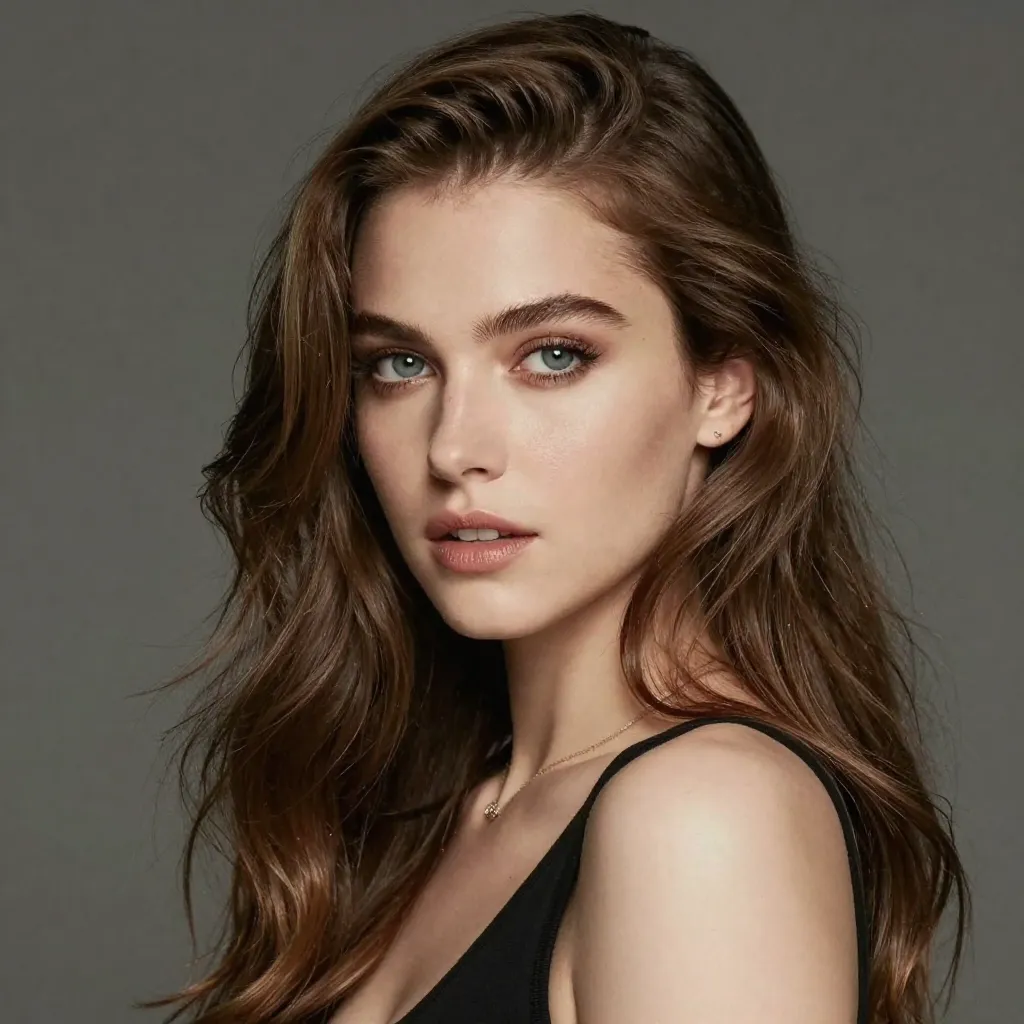
After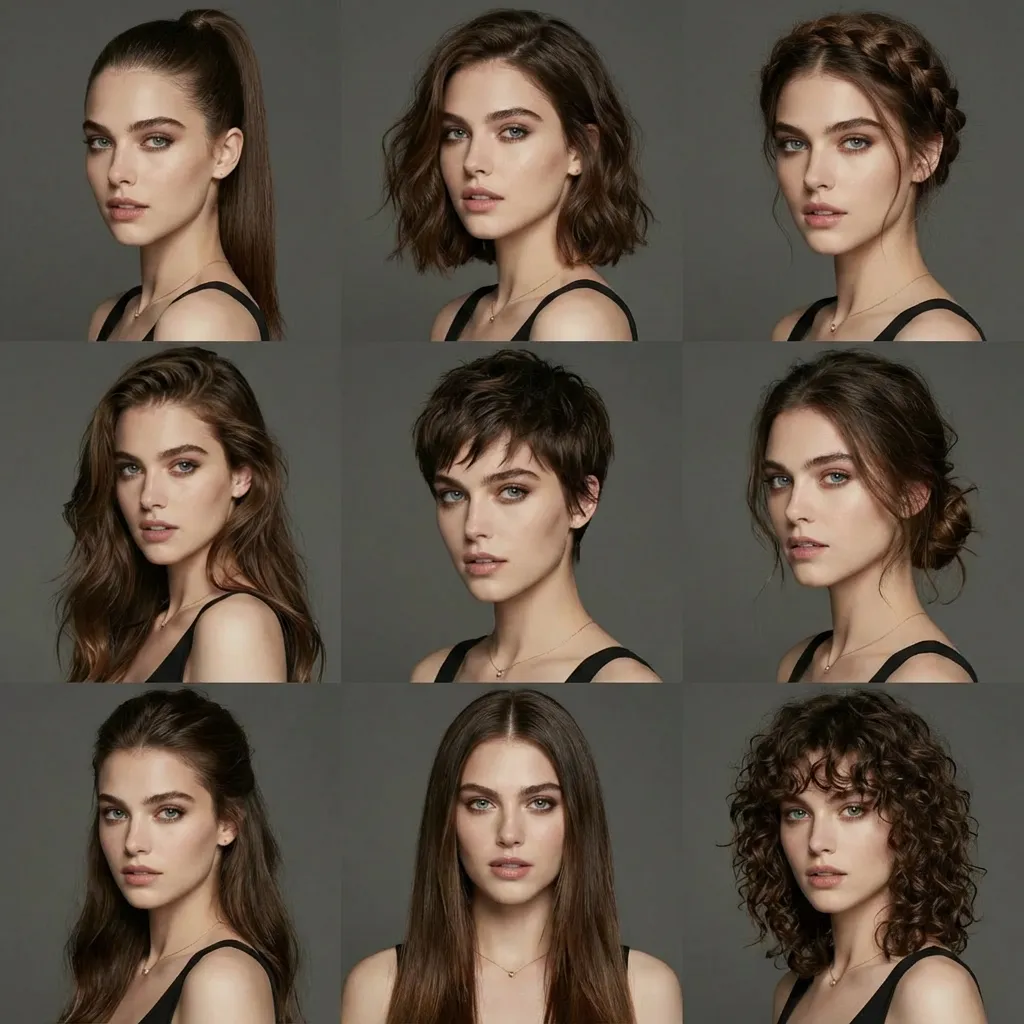
Change Multiple Hairstyles
Prompt
Generate avatars of this person with different hairstyles in a 3x3 grid format
Pro-Level Control for Professional Results
Nano Banana Pro: Best AI Image Generator with Accurate Text Rendering
Create Stunning Images in Three Simple Steps
Begin with the image's purpose, then supply the subject, composition and any reference material needed to explain it.
1
Enter Your Prompt or Upload Images
Describe the subject, layout and exact words that should appear. If you add references, explain whether they guide appearance, color, composition or the edit itself.
2
AI Generates Your Image
Submit the brief with the chosen settings. The generated image interprets both text and references, so inspect how well it follows the requested relationships and visual details.
3
Download & Edit
Review the image at full size, especially its text and product details. Download the chosen output at up to 4K or use it as the starting point for another edit.
All-in-One AI Image Creation Platform
Use text generation for a new composition or image references to develop an existing visual. The same workflow can cover a text-led layout, an illustration or a product scene.
Accurate Text Rendering
Include the exact headline or label in the prompt and specify its position in the layout. Text generation is useful for posters and graphics, but spelling and spacing still need a final check.
Multi-Image Reference
Multiple references can define a character, palette or composition. Give each image a distinct role and compare recurring details when producing a related set of visuals.
Intelligent Image Editing
Describe a revised background, an added object or a change in style. Also identify what should stay the same, then inspect the generated edit for unintended changes.
Why Choose Nano Banana Pro?
Nano Banana Pro is useful when a brief combines written instructions with concrete visual references and a need to inspect fine detail.
Advanced AI Technology
A prompt can describe a photographic scene or an illustrated treatment. Be specific about the relationships between objects and any text that must be readable.
Intelligent Understanding
References supply visual context, while the prompt explains the result you want. State the intended composition instead of assuming the model will infer the hierarchy of the design.
Lightning-Fast Generation
Try a focused variation when a result misses the brief. Keeping the subject and most settings fixed makes differences in layout, light or style easier to compare.
Easy to Use
You can begin with an ordinary-language description. Add references and more precise constraints as the idea develops, without needing to describe a full manual editing process.
Nano Banana Pro: Empowering Every Creative Need
Plan the image around its destination: a social cover, campaign banner, educational graphic or product layout. Each needs a different balance of text and visual space.
Social Media & Content Creation
Create a cover or post image with a clear focal point and room for readable text. Check the composition at the small size in which the audience will see it.
Business & Marketing
Compare a campaign's visual direction across portrait and landscape layouts. Supply exact localized wording and review it before preparing each version for publication.
Training & Educational Content
Draft a diagram or infographic with a defined reading order. Provide verified labels and data, and check that the final visual communicates them correctly.
Creative Projects & Storytelling
Use common references across character studies, concept art or cover ideas. Inspect the recurring details before treating separate generations as a coherent series.
Product Demonstrations
Reference the real product and describe the setting or lighting change. Review its shape, material, logo and packaging against the source image.
Presentations & Pitch Decks
Develop a presentation visual around one message. Keep charts and labels simple, and check factual content before adding the image to a deck.
Frequently Asked Questions
Everything you need to know about Nano Banana Pro AI Image Generator.
Nano Banana Pro supports image generation, reference-led edits and text within images. It is useful for briefs that need a particular subject, layout or wording, with final details checked by the creator.
Transform Your Ideas Into Stunning Images
Prepare the subject, references and exact wording for your next image, then choose the output settings in the workspace.