Topview T1
What will you create next?
Featured Examples
See the before/after transformations and try the prompt yourself.
Before
After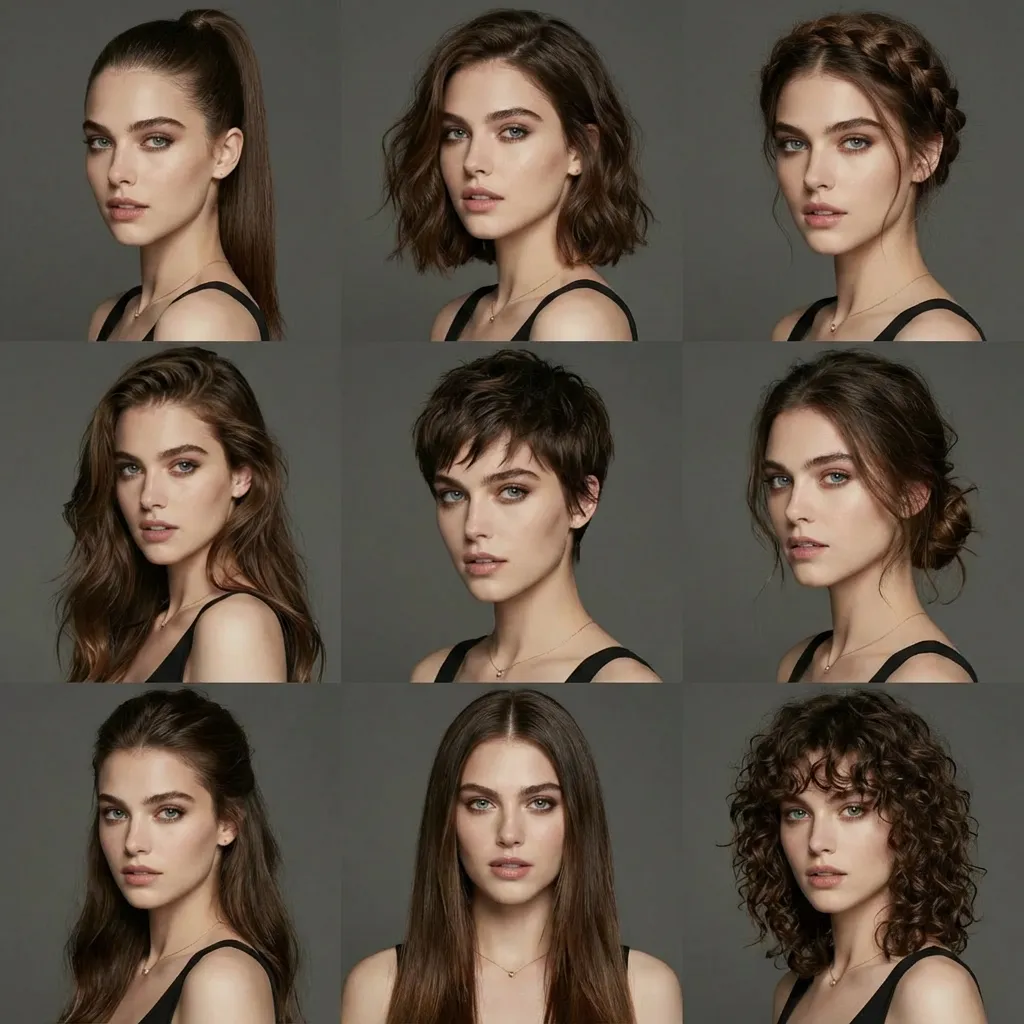
Change Multiple Hairstyles
Prompt
Generate avatars of this person with different hairstyles in a 3x3 grid format
Fast image creation with flexible control
Nano Banana 2 Lite: Fast Lightweight AI Image Generator
How Nano Banana 2 Lite Works
Turn ideas and reference images into polished visuals in three quick steps.
1
Describe Your Idea
Choose a new image or an edit, write the brief and attach any references needed to explain the subject or change.
2
Set the Creative Direction
Select the canvas shape or Auto. Describe the composition and style, including which details in the references should remain recognizable.
3
Generate and Refine
Inspect the 1K result, download a suitable version or revise the brief. History lets you return to a previous attempt when developing another variation.
What Can Nano Banana 2 Lite Do?
The fixed 1K workflow suits visual drafts and reference-led edits. Use it to explore a composition before deciding how the image will fit a larger project.
Fast Text-to-Image Creation
Start with a single purpose for the image, such as a product concept or post cover. Describe its focal point and the space needed around it.
Multi-Image Reference Support
Attach up to 10 images and assign a role to each: product, subject, setting, color or style. Clear reference roles make a mixed brief easier to interpret.
Flexible Image Editing
Explain an edit in words and identify what should remain. Compare the generated version with the reference to catch changes outside the intended revision.
Why Choose Nano Banana 2 Lite?
Lite combines fixed 1K output with reference input, long prompts and a broad canvas selection. It is a practical place to work through image ideas and compare variations.
Built for Speed
The 1K output keeps the workflow focused on drafts and everyday images. Judge the composition before investing in a more detailed final-production workflow.
Supports Long Prompts
Prompts can contain up to 20,000 characters. Use that space for meaningful constraints such as layout, wording and reference roles rather than repeating the same style request.
Flexible Aspect Ratios
Square, portrait, landscape and extended canvases support different layouts. Auto is available when you want the model to choose the shape from the brief.
Easy Creative Workflow
Preview a result, download it or reuse its prompt and references from history. Focus each new attempt on the part of the image that needs improvement.
Where Nano Banana 2 Lite Fits Best
Use a clear destination to guide the brief, whether the image is a social cover, product draft, banner or personal illustration.
Social Media Content
Try a vertical cover or story image with a single focal point. Reserve space for wording and check readability at a phone-screen size.
Marketing Assets
Compare campaign concepts before preparing final assets. Keep the message fixed while varying the composition, setting or light.
Moodboards and Concepts
Turn a rough idea into a visual direction using references and explicit layout instructions. Assess the composition before refining smaller details.
Product and Ecommerce Images
Use a product reference to try a new setting or arrangement. Compare the generated item with the real product before deciding which direction to develop.
Image Editing and Variations
Choose an existing picture and request one clear revision. Comparing a few targeted edits is more informative than changing the entire brief between attempts.
Creator Experiments
Explore a character, sticker, poster or wallpaper idea. Set the canvas for its intended use and keep the main subject easy to recognize.
Nano Banana 2 Lite FAQ
Common questions about Nano Banana 2 Lite image generation and editing.
Nano Banana 2 Lite is an image-generation and editing option with fixed 1K output. It accepts written briefs, optional references and a range of canvas shapes.
Start Creating with Nano Banana 2 Lite
Choose a canvas and develop a 1K image from your written brief or existing reference material.